
6 Best AI Music Video Tools From Lyrics: Words in the Scene, Not Subtitles

Picture the moment: your track is mixed, mastered, and waiting for visuals that feel as alive as the music. You could settle for karaoke-style captions fluttering over random stock footage, but that leaves viewers staring at text that never belongs in the shot.
We went looking for something better: AI music video tools that read your lyrics and place those words where they matter. Along the way, we asked four blunt questions. Do the lyrics shape the visuals or merely float on top? Can you fix misheard words before you spend credits? How much control do you keep over verses, choruses, and drops? And does the finished export arrive clean, at 1080p or 4K?
The six platforms below form our ranked shortlist, from tools that write words into the scene to tools that keep them as a caption layer.
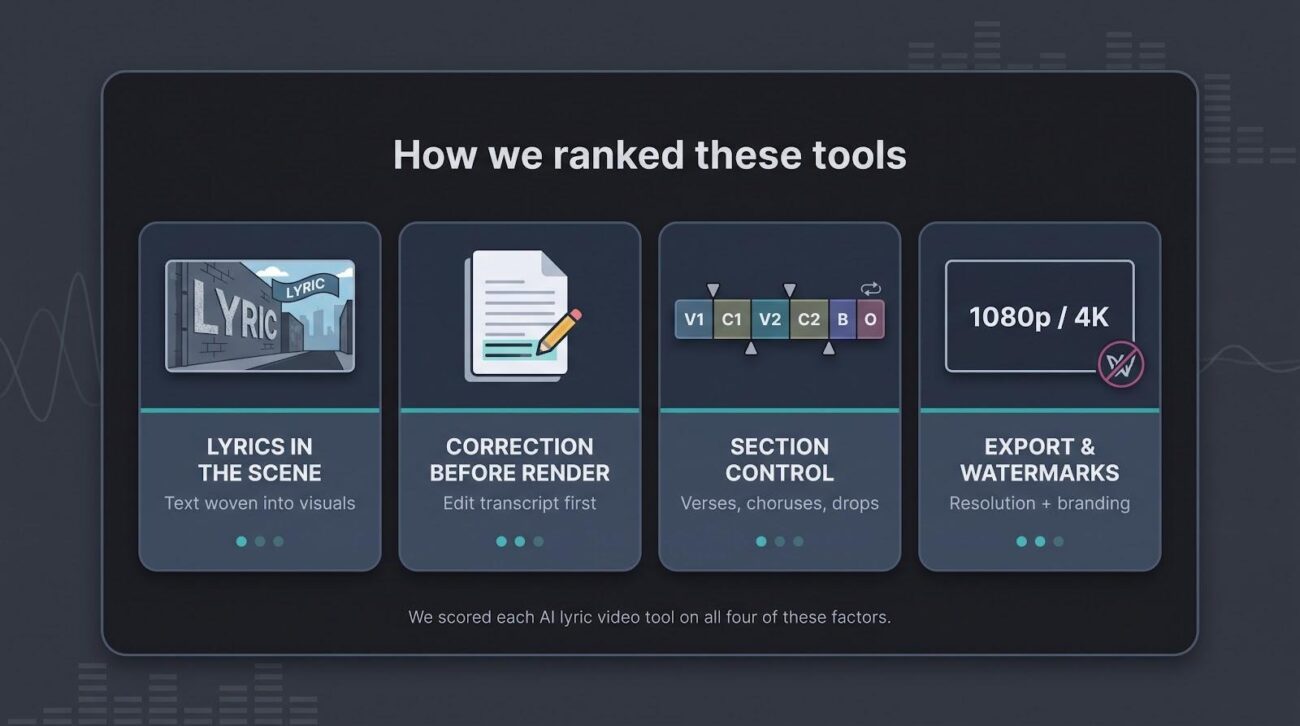
How We Ranked These Tools
Lyrics as Part of the Scene
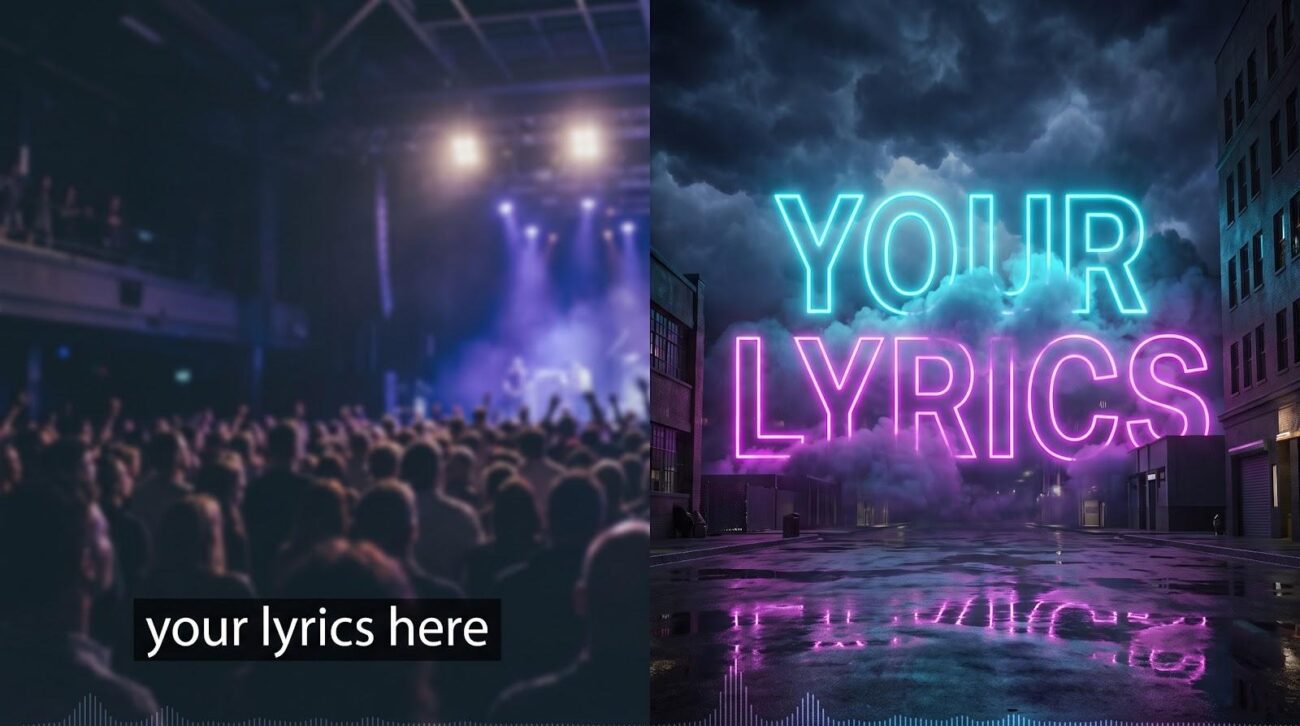
The strongest lyric videos treat words as visual material, not an afterthought. We gave top marks to engines that let lyrics drive the imagery itself, and ranked pure overlay tools lower.
Correction Before Rendering
Automatic speech-to-text still stumbles on names, slang, and fast verses. The W3C’s guidance on captions notes that automatic captions need human review before they can be trusted (W3C captions guidance). We favored platforms that show the transcript early so you can fix it first.
Control by Song Section
A verse rarely needs the same energy as a chorus or a quiet bridge. Tools with storyboards, timelines, or shot-level re-renders earned extra credit, because you can refine one moment without scrapping the whole piece.
Export Quality and Watermarks
A great concept looks amateur at 720p or with a brand stamp in the corner. We compared the highest published resolution and the watermark rules, and used them as tie-breakers.
1. Neural Frames: Best Overall for Lyrics Built Into the Scene
What It Does With Lyrics
Neural Frames starts by extracting the lyrics from your song. Before anything renders, you review that transcript and correct any misheard words, which matters when a track has distortion, layered vocals, or ad-libs. Once the words look right, the engine generates them inside the images themselves, so a line can appear as part of the environment rather than as a subtitle stamped on top.

The Neural Frames lyric video maker writes the words into the image itself.
If the track started in Suno, its Suno to video workflow takes the final render straight to a storyboard. Neural Frames recommends uploading the final Suno render rather than an intermediate version, for the best timing.
Creative Control
Neural Frames offers three levels of control. Autopilot is the fastest route from a finished song to a storyboard and video draft, handy when a release date is close. The Text-to-Video Timeline lets you plan sections around verses, choruses, and drops. The Frame-by-Frame Editor lets you dial in beat-level animation changes and audio-reactive modulation.
Under the hood, the platform separates your track into 8 stems (drums, bass, vocals, melody, and others) and lets you drive visuals from each stem. Want an image to pulse with the drums while another element follows the vocal? You map it per stem. Neural Frames makes video from audio only; it does not generate or compose music.
Best for, Limitations, and Pricing
Neural Frames is the pick when you want lyrics to live inside the shot and you are ready to pay for polish. There is one honest trade-off: because the words are generated within the images, you do not get the font-by-font precision of a separate caption layer, and it is not built for word-by-word karaoke highlighting. Plans start with Neural Knight at $39 per month, or $26 per month billed yearly, with exports up to 1080p. Neural Ninja, at $99 per month or $66 per month billed yearly, adds 4K upscaling.
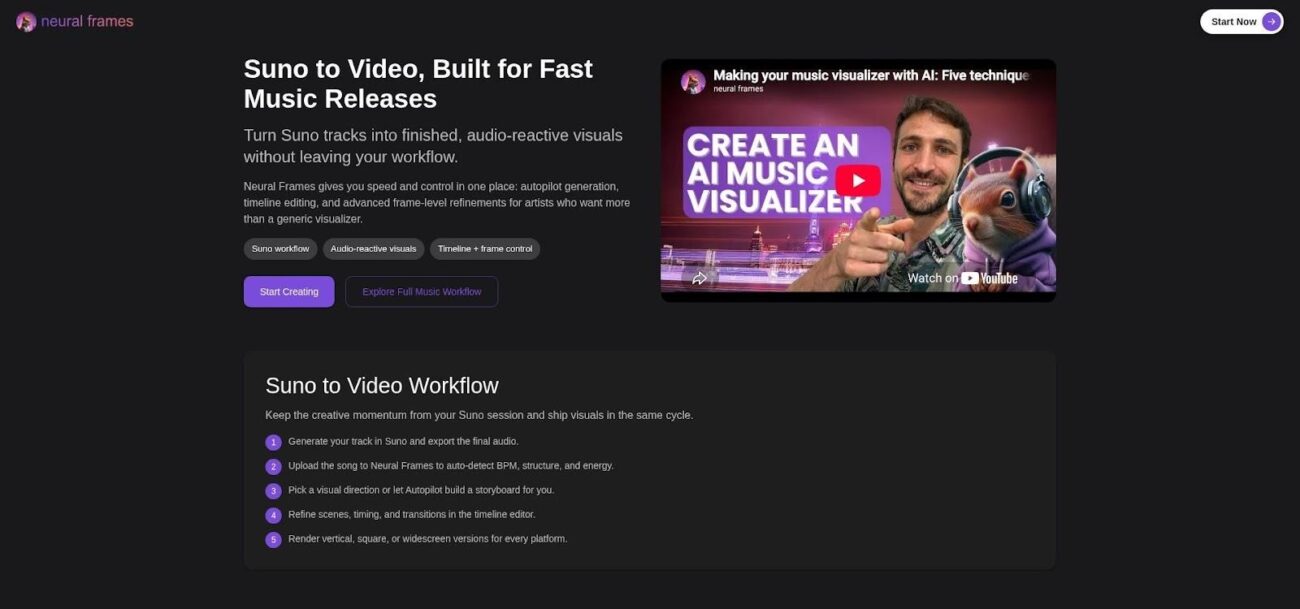
The Suno to Video workflow: export the final track from Suno, upload it, then let Autopilot build a storyboard.
2. Solmi: Best for Automated Storyboards From a Song
What It Does With Lyrics
Solmi auto-detects the lyrics in your track and supports native lyric detection in several languages. You can paste a Suno or Udio share link directly instead of exporting a file first.
The main attraction is its AI director, which storyboards every shot before rendering. That makes Solmi a strong choice when you want a narrative built around the song in minutes rather than a blank timeline. Because its lyric treatments work more like text on top of the generated footage, it lands one notch below Neural Frames on our list.
Best for, Limitations, and Pricing
Solmi suits artists who want a fast, planned-out video without learning an editor. Native aspect ratios cover YouTube (16:9) and TikTok or Reels (9:16), so one session can produce both a premiere cut and a teaser. A free tier with daily credits lets you test the workflow. Paid plans unlock 4K export, remove the Solmi watermark, and add commercial licensing; check the current plan prices on Solmi’s site before you budget a release.
3. Kaiber: Best for Hands-On Styling of Lyric Captions
What It Does With Lyrics
Kaiber’s Beat Sync generates lyrics that sync automatically to your track and places them over your video. From there, you style the text in detail: font, size, text color, line spacing, capitalization, background, and outline. You can also reposition and resize the lyrics anywhere in the frame.
Out of the box, the words behave like a well-designed overlay. If you want a scene that reacts to a specific line, you generate or cut in that footage yourself and place the lyric over it.
Correction and Section Control
To fix a lyric, click it in the side panel and edit the text. That makes quick work of misheard words or a stage name the transcriber could not know. Because every line is its own editable element, you can adjust one verse without touching the rest of the video.
Best for, Limitations, and Pricing
Kaiber rewards creators who care about typography and want fine styling control over each line. The trade-off is that the lyrics do not build the scene on their own. Kaiber’s help documentation for Beat Sync does not state an export resolution or watermark policy, so run a short test export and check its current plans if 4K or branding-free delivery is a hard requirement.
4. CaptionFit: Best for Exact Lyrics and Scene-by-Scene Backgrounds
What It Does With Lyrics
CaptionFit transcribes your audio and burns in the captions, then lets you build the picture. The key feature for musicians: you can paste your lyrics, and CaptionFit aligns the captions to those exact words. Uncommon spellings, stage names, and rapid-fire verses land exactly as written.
Backgrounds can be uploaded scenes or AI-generated images, placed along a timeline with up to 50 scenes. The gritty alley behind verse one can give way to a neon skyline for the chorus without rebuilding the project.
Correction and Section Control
Because the captions follow your pasted lyric sheet, the transcript stays your single source of truth. Scene control is just as direct: place a new background on the timeline for the chorus, and the captions carry over each change.
Best for, Limitations, and Pricing
CaptionFit is the safe bet when readable, correct lyrics matter more than cinematic text effects, which makes it a good fit for word-heavy rap and singer-songwriter tracks. The words never trigger a scene change on their own; you place every background. Exports run at 1080p in 9:16 or 16:9. Free exports carry a watermark, while the Pro plan removes it for $10 per month, or $8.30 per month billed annually.
5. LyricMV: Best for Fast Template Lyric Videos
What It Does With Lyrics
LyricMV transcribes vocals with word-level timestamps, then drops the lyrics into one of three templates: Deep Shadow, a dark animated gradient with glowing particles and karaoke-style highlighting; Classic CD, a rotating CD with lyrics scrolling line by line; and Pro Vinyl, a spinning record inside a frequency visualizer ring.
Correction and Section Control
A visual timeline editor lets you review the lyrics, fix transcription errors, and adjust timing before rendering.
Best for, Limitations, and Pricing
Because the words live inside a fixed template rather than a generated scene, you trade creative freedom for speed. LyricMV is ideal when you need a clean lyric video tonight, not next week. You get a free 480p preview, then render the full video at 1080p, and LyricMV markets its exports as free of watermarks.
6. VEED: Best General Editor for Styled Lyric Overlays
What It Does With Lyrics
VEED treats lyrics the way an editor treats titles: as flexible text layers on a timeline. Upload your song, generate subtitles automatically, or paste your own lyrics for precision. You can then move the lyric block, switch fonts, add shadows, and animate the text.
The trade-off is creative scope. The lyrics do not influence what appears in the shot. You supply the footage, whether stock, AI-generated, or a phone clip, and VEED keeps the words on top.
Correction and Section Control
The subtitle panel lists every line. Rewrite a phrase, retime a line, or merge two short bursts into one, and the preview updates. A full timeline lets you stack video layers or trim a bridge without leaving the browser.
Best for, Limitations, and Pricing
VEED works best when you already have footage and need lyrics that look professional without opening a desktop editor. Free exports are limited to 720p with a watermark; paid plans remove the watermark and raise the resolution. Check VEED’s pricing page for current plan costs, and remember that it overlays text rather than writing words into the scene.
Comparison Table: Six Tools at a Glance
| Tool | Lyric Placement | Lyric Correction | Section Control | Max Export |
| Neural Frames | Words generated inside the scenes | Yes, before rendering | Autopilot, timeline, frame-by-frame | 4K (Ninja plan and up) |
| Solmi | Auto-detected lyrics over AI-directed shots | Auto-detected | AI storyboard of every shot | 4K on paid plans |
| Kaiber | Styled overlay on your video | Yes, in the side panel | Per-line editing | Not published |
| CaptionFit | Burned-in captions over scenes | Yes, aligns to pasted lyrics | Timeline of up to 50 scenes | 1080p |
| LyricMV | Template-based text | Yes, timeline editor | Lyric timeline | 1080p |
| VEED | Subtitle text layers over footage | Yes, subtitle panel | Full manual timeline | Higher on paid plans |
How to Choose for Your Song
Choose by Lyric Density
Start with how many words land in each bar. Double-time rap verses, packed choruses, and held notes are where auto-transcription and timing break first. If your song is word-heavy, pick a tool that lets you paste the official lyric sheet or edit the transcript before rendering, such as CaptionFit, VEED, or Neural Frames.
Choose by Visual Ambition
Ask whether viewers should read the line or see it in the shot. If you want a lyric about fire to become part of the image, Neural Frames is the tool built for it, the same kind of AI-generated shots that filmmakers are now debating. If you need clean type over live footage, VEED, Kaiber, or LyricMV gets it done fast.
Choose by Editing Tolerance
If you want a planned video with little effort, Solmi’s AI director and Neural Frames’ Autopilot both do the heavy lifting. If you want control over every moment, Neural Frames’ Frame-by-Frame Editor or a manual timeline in VEED gives you the most say.
Choose by Delivery Format
Match the resolution to the destination. A TikTok loop looks fine at 1080p, but a YouTube premiere or a projector backdrop benefits from 4K. Confirm that your plan unlocks the resolution you need and removes the watermark. A ten-second test export now beats a last-minute scramble on release day.
FAQ
Can AI build scenes from lyrics instead of adding subtitles?
Yes, but few tools do it. Neural Frames generates the words inside the images, so the text belongs to the shot. Most other platforms, including Kaiber, CaptionFit, LyricMV, and VEED, keep lyrics as a caption or text layer, so decide early which look you want.
Can you correct misheard lyrics before rendering?
Yes, with most of these tools. Neural Frames, Kaiber, LyricMV, and VEED let you edit the transcript, and CaptionFit aligns captions to lyrics you paste. Always proof every line before you export.
What works best for rap verses and dense choruses?
Tools that accept a pasted lyric sheet and let you retime lines, such as CaptionFit and VEED, handle fast passages most reliably. Neural Frames also lets you correct the lyrics, but because words are generated inside the images, preview dense sections to confirm they stay legible.
Is 4K necessary for a lyric video?
Not always. Short vertical clips for TikTok and Reels look fine at 1080p. Choose 4K for large-screen premieres, heavy reframing, or archival masters, and confirm that your subscription tier includes it.
Final Take
Neural Frames tops our list because it delivers on the promise of this roundup: lyrics that become part of the picture, not text scrolling across it. Solmi follows for creators who want an AI director to storyboard a full video in minutes, while Kaiber suits artists who want fine control over how each caption looks. CaptionFit, LyricMV, and VEED cover classic caption workflows with less effort. Whichever path you choose, upload the final song master, proof every line, and run a short test export before release. Your words deserve nothing less.